Sure. Here are a few open times:
Tue 10:00 AMWed 2:00 PMThu 9:30 AM
Hand-off
A visitor needs a person
You get their name, number, and question by email and text.
Answers from your site, books calls, hands off to you
Website AI Chat puts a small chat button on your website. Visitors can ask a question, book a call, or ask for a person, any time of day. It answers only from your own website, so it doesn’t make up prices, services, or promises. We serve the Phoenix metro area.
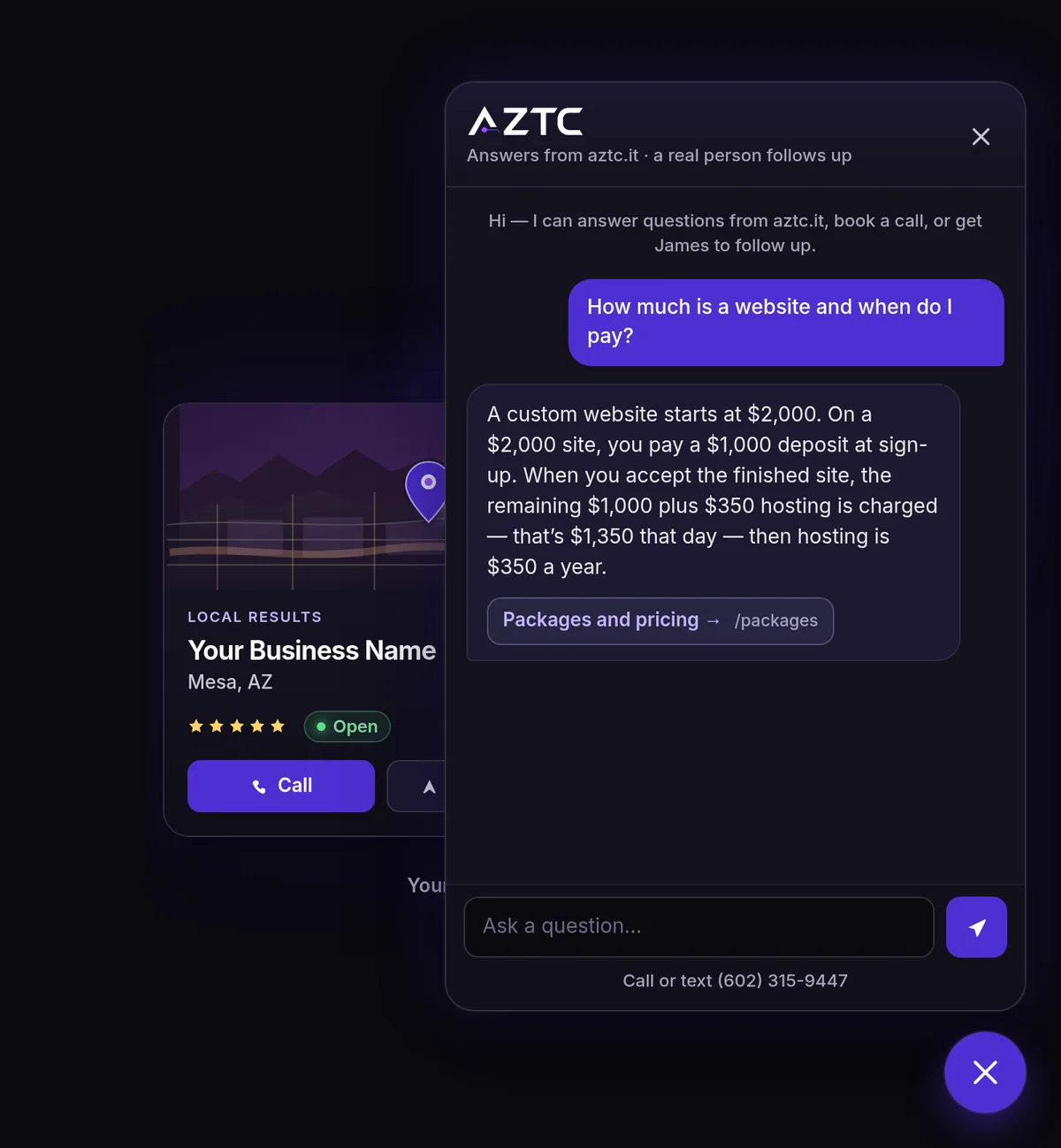
It answers from your site. The chat reads your pages and answers in plain English, with a link to the page it used. If a visitor asks something your site doesn’t cover, it says so and offers to have someone follow up.
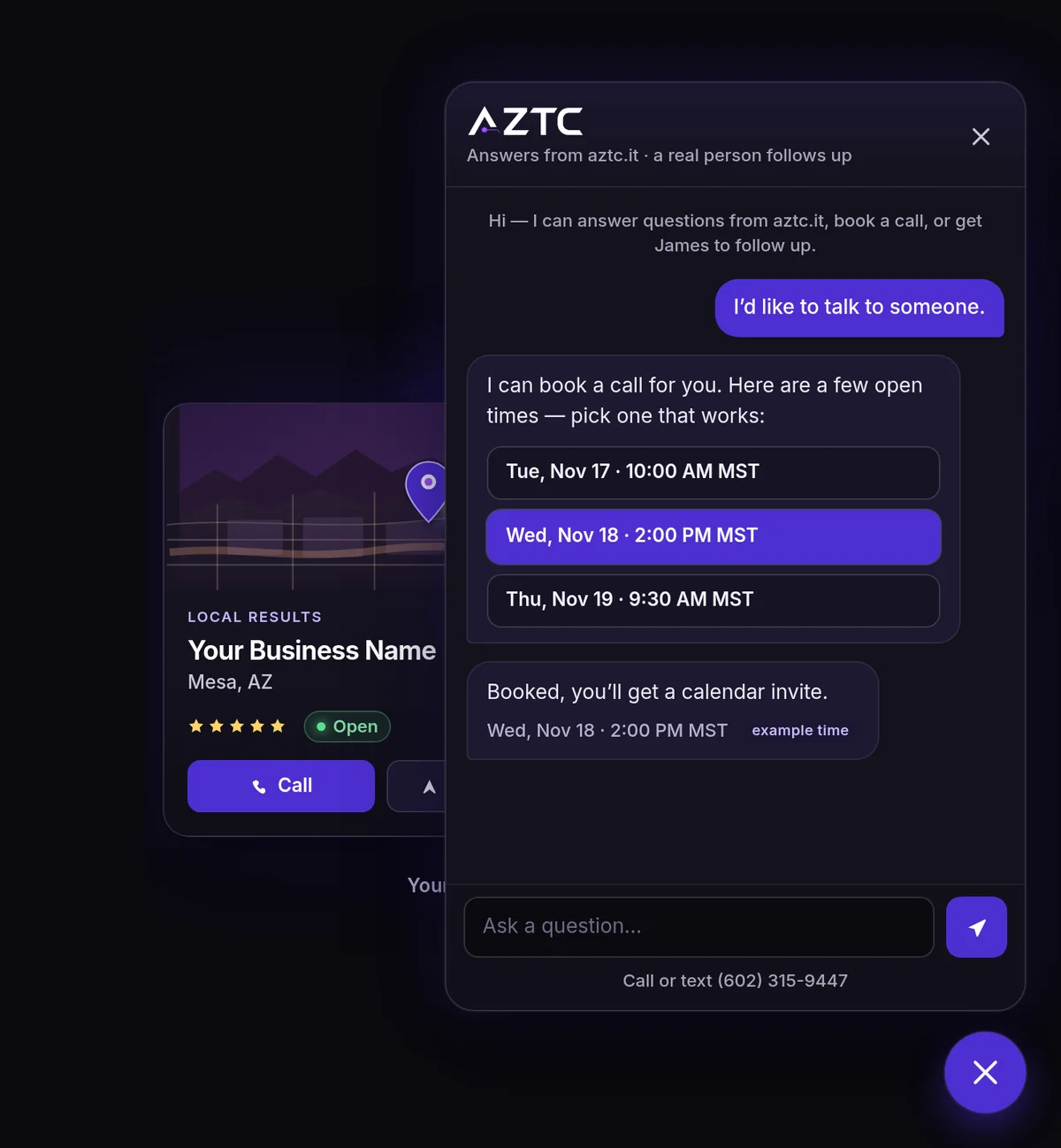
It books calls. When a visitor wants to talk, the chat offers a few open times from your calendar. They pick one and get a calendar invite.
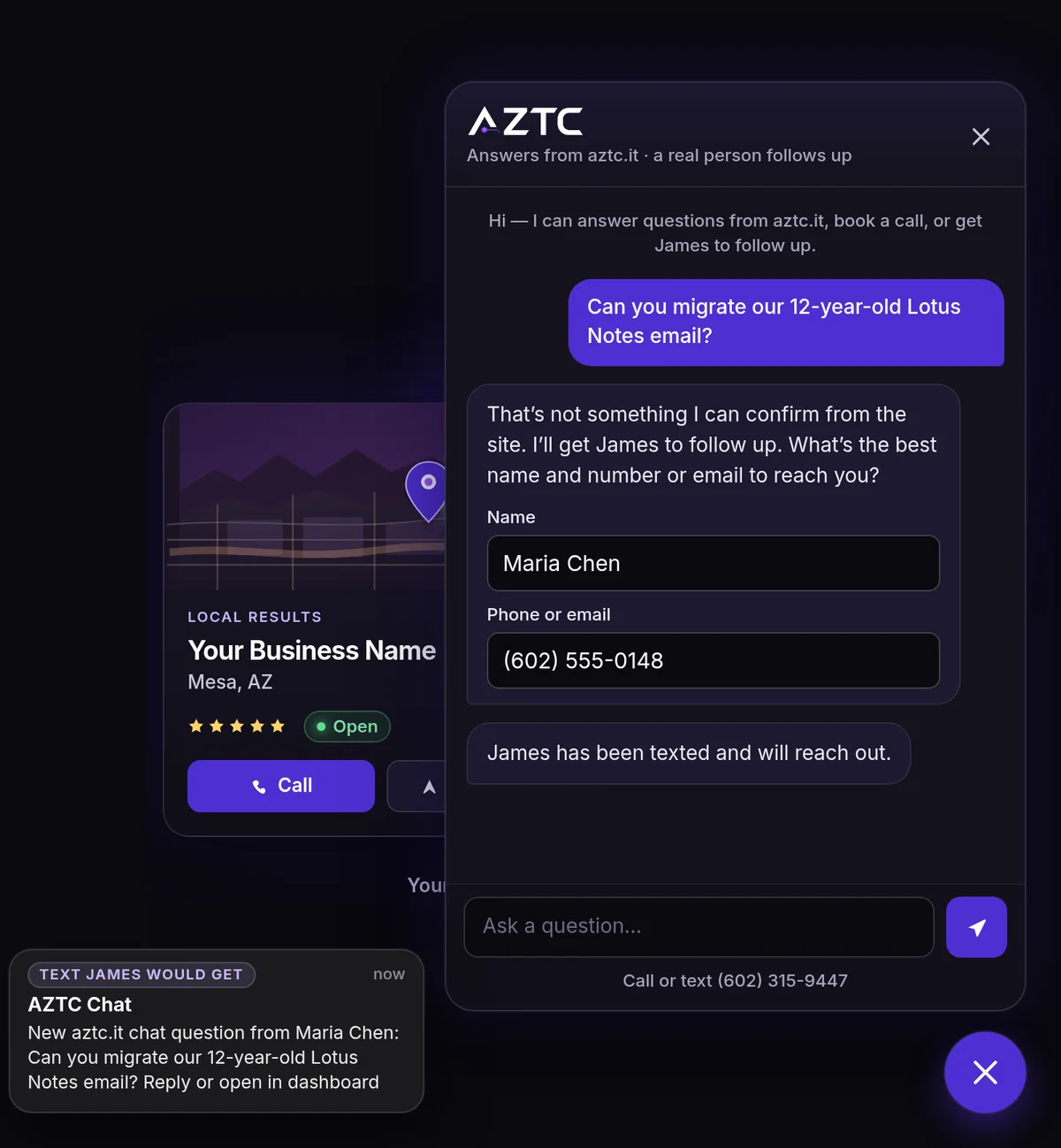
It hands off to a real person. When the chat can’t answer, or a visitor asks for someone, it takes their name and phone or email. You get an alert by email and text with their question, so you can reach out.
It gets smarter as you teach it. In your AZTC dashboard, you see the questions the chat couldn’t answer and the answers it gave. Answer a question, add your own questions and answers, or correct an answer, and the chat uses your words from then on. Your answers come first, and the chat sends them right away, so replies get faster too.
It shows your service updates. When you post an outage or service update from your dashboard, the chat shows the notice at the top, puts a small badge on the chat button, and answers “is it down?” questions with which services are affected and what’s being done. When you send the all-clear, the notice comes down. This comes with AZTC Outage Alerts, and both are included in Managed Web Hosting and every plan (see how they work together).
Works on any website. Your website doesn’t have to be built or hosted by AZTC. For sites we don’t host, website chat is $25/month plus a $99 one-time setup. Setup covers branding the chat with your logo and colors, training it on your website, and the embed code to paste into your site. Want us to install the code for you? That’s $50 one-time. Don’t want to pick colors? Just upload your logo or give us your website address, and we’ll automatically design a chat that fits your site.
Getting started. Tell us your website address and pick your logo, colors, and welcome message. We train the chat on your site and test it. Then we send you one line of code to paste into your site, or install it for you. Your chat is live as soon as the code is on your site. Don’t want to pick colors? Just upload your logo or give us your website address, and we’ll automatically design a chat that fits your site.
Try it here. The chat button in the corner of this page is the same chat, answering from aztc.it.
Pricing. Website chat is included with AZTC Custom Web Design and with any AZTC hosting or marketing plan (Managed Web Hosting at $500/year, Essentials, Partner, Growth, Multi-Region, or Nationwide); for everyone else it’s $25/month plus $99 setup. Managed Web Hosting covers up to 1,000 visitor messages a month; plans have no monthly cap.
Privacy. Website chat conversations are saved to help answer follow-ups. See our privacy policy.
What’s included
Answers visitor questions using only what your website says, with a link to the page the answer came from
If your site doesn’t answer it, the chat says so instead of guessing, and offers to have someone follow up
Books calls: it offers open times from your calendar, and the visitor gets a calendar invite
Hands off to a real person: it takes the visitor’s name and phone or email and alerts you by email and text
Your logo, colors, and welcome message
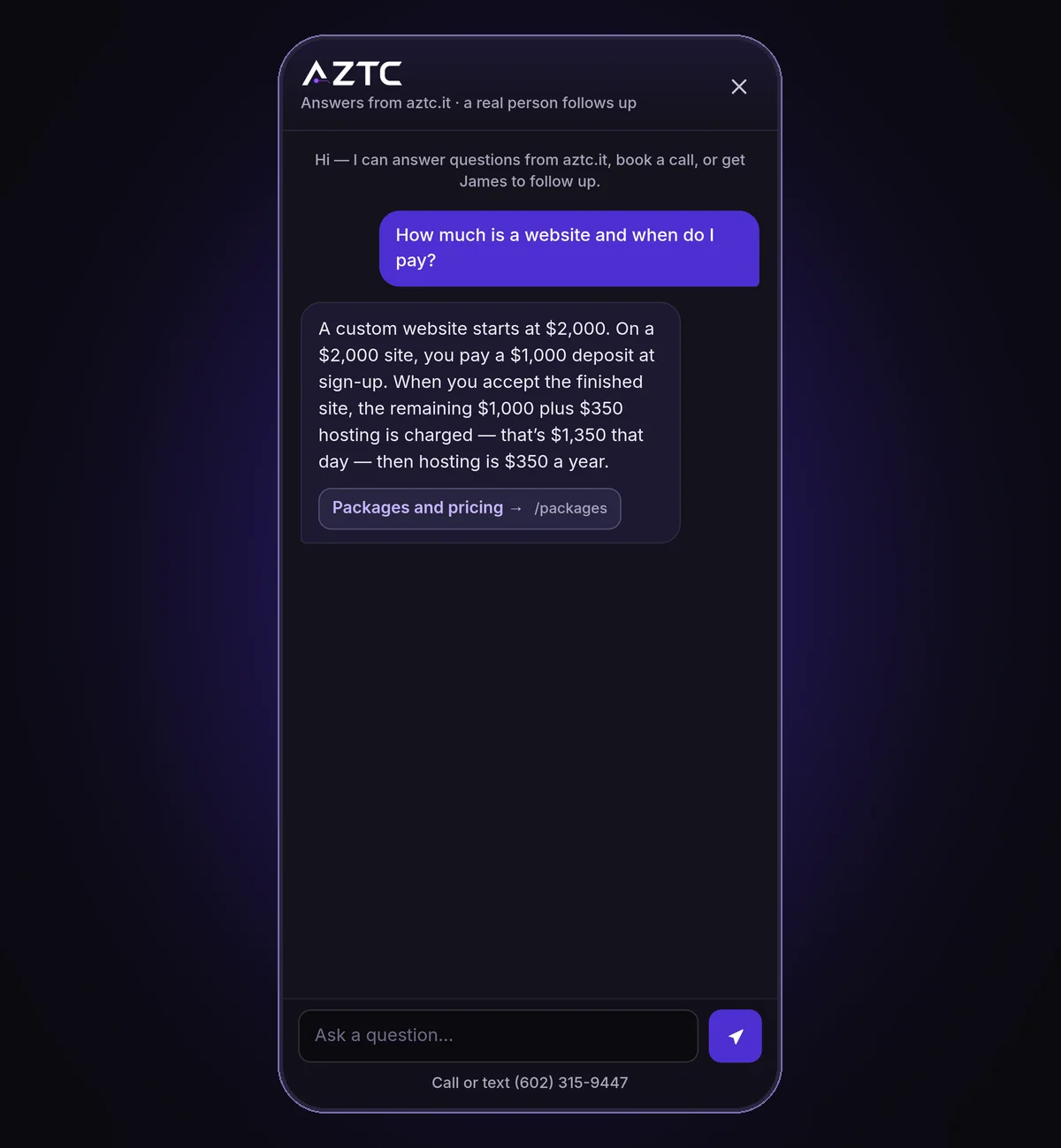
Works on phones, where the chat fills the screen
Loads only when a visitor reaches for it, so it doesn’t slow your site down
Re-reads your site regularly, so answers stay current when your pages change
Setup, testing, and ongoing care by AZTC
Teach it from your AZTC dashboard: answer the questions it couldn’t, add your own questions and answers, and correct any answer
Shows your service updates: when you post an outage or service update, the chat shows the notice and answers “is it down?” questions
Works on any website, including sites AZTC doesn’t build or host
Examples of the chat on a website
These examples show the chat on aztc.it. On your site, it uses your logo, colors, and pages, and alerts you instead of us.
ExampleIt answers from your own pages and links to the page it used.
ExampleIt offers open times from your calendar and books the call.
ExampleWhen the site doesn’t answer it, the chat takes a name and number and texts the owner.
ExampleOn a phone, the chat fills the screen.
Website Chat and Outage Alerts, working together
Pair Website AI Chat with AZTC Outage Alerts. When an outage or incident affects your services, your website chat can tell existing and new customers which services are affected and what’s being done, alongside your other notices: the banner on your website, your social media, and email and text alerts.
What you get when you have both
Outage notices show inside your website chat automatically when a service update is posted
During an outage or incident, the chat shows the notice at the top, puts a small badge on the chat button, and tells visitors who ask which services are affected and what’s being done
It uses the same facts as your other notices, and the all-clear takes the notice down when service is restored
You can edit the notice before it’s posted, just like your other Outage Alerts messages
Teach your chat from your dashboard: answer visitor questions and add your own questions and answers, so it gets smarter and faster
Both are included with Managed Web Hosting ($500/year, with hosting, Site Watch, and one malware cleanup a year too) and with Essentials, Partner, Growth, Multi-Region, and Nationwide. For a site we don’t host, you can add them separately: $25/month for Outage Alerts, and $25/month plus $99 setup for website chat (we can install the chat code for you for $50 one-time). Call (888) 512-9899.
We add the chat to your website with your logo, colors, and welcome message, and connect it to your calendar and to the email and phone where you want alerts.
2It learns your site
The chat reads your pages so it can answer from them, and re-reads them regularly when your site changes.
3Visitors get answers, and you get the leads
It answers questions, books calls, and alerts you by email and text when a visitor needs a person.
Questions we hear a lot
How much does website chat cost?
Website chat is included with AZTC Custom Web Design and with any AZTC hosting or marketing plan (Managed Web Hosting, Essentials, Partner, or Growth); for everyone else it’s $25/month plus $99 setup. Call (888) 512-9899.
Will it make things up?
It answers only from what your website says. If your site doesn’t answer a question, the chat says so and offers to have someone follow up instead of guessing.
Can it book appointments?
Yes. It offers open times from your calendar, and the visitor gets a calendar invite for the time they pick.
What happens when a visitor wants a real person?
The chat takes their name and phone or email, and you get an alert by email and text with their question.
Are chats saved?
Yes. Website chat conversations are saved to help answer follow-ups. See our privacy policy at https://aztc.it/privacy.
Does it work on a site AZTC didn’t build?
Yes, on most websites. Call (888) 512-9899 and we’ll check yours. For a site AZTC doesn’t host, website chat is $25/month plus a $99 one-time setup, which covers branding it with your logo and colors, training it on your site, and the code to paste into your site. We can install the code for you for $50 one-time.
How do I make the chat smarter?
In your AZTC dashboard, open Teach your chat. You see the questions the chat couldn’t answer and the answers it gave. Answer a question, add your own questions and answers, or correct an answer, and the chat uses your words from then on. Your answers come first and are sent right away, so replies get faster too.
What does the chat say during an outage?
When you post an outage or service update from your dashboard, the chat shows the notice at the top, puts a small badge on the chat button, and answers “is it down?” questions with which services are affected and what’s being done. The all-clear takes the notice down.
Do I have to pick colors for my chat?
Don’t want to pick colors? Just upload your logo or give us your website address, and we’ll automatically design a chat that fits your site. We match your brand colors, check that the text is easy to read, and show you a preview. You can use it as is or change any color yourself.
Call (888) 512-9899, use our contact form, book a consult, or request a quote. AZTC is a service-area business serving the Phoenix metro area and does not publish a street address.